









Squid Game Sprunki FNF Battle - Play Free Rhythm (Dance & Music) Game Online
Experience a rhythmic survival showdown in Squid Game Sprunki FNF Battle. Face off against Sprunki characters in this unique Friday Night Funkin mod featuring the viral Mingle track. Play for free in your browser!
A Surreal Mashup of Survival and Sound
If you thought the high-stakes tension of Squid Game couldn’t get any weirder, wait until you drop the rhythmic chaos of Sprunki into the mix. This isn't your standard Friday Night Funkin' mod; it’s a bizarre, high-energy collision of two very different internet subcultures.
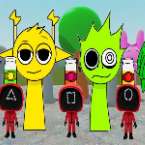
The game pits the iconic, jumpsuit-clad characters of the survival drama against the quirky, beat-making avatars of the Sprunki Incredibox universe. It feels less like a corporate crossover and more like a fever dream curated by a rhythm game fan. The standout feature here is the music—specifically the "Mingle" track—which blends the eerie, mechanical atmosphere of the show with the infectious, layered looping that made Sprunki a viral hit. It’s frantic, a bit unsettling, and surprisingly catchy.
How to Play
The core gameplay follows the classic FNF "push and pull" mechanic. You’ll see arrows floating up from the bottom of the screen, and your job is to hit the corresponding key exactly when they overlap with the static outlines at the top.
Because this features the Sprunki influence, the tracks have a specific "build-up" feel. Missing notes doesn't just lower your health bar; it actively kills the vibe of the remix. The difficulty curve is fair—standard for anyone who has played a rhythm scroller before—but the visual distractions (like the giant Red Light, Green Light doll looming in the background) add an extra layer of pressure that fits the Squid Game theme perfectly. You win by keeping the momentum in your favor until the track ends.
Controls
The controls are stripped back to basics, letting you focus entirely on the timing of the beats. You can use either set of keys depending on what feels more natural for your hand placement:
- Arrow Keys: The traditional way to hit the Up, Down, Left, and Right notes.
- WASD: A popular alternative for players who prefer a left-handed setup or a more "gamer-centric" feel.
- Spacebar: Occasionally used in menus to confirm selections or restart the round.